ZL Spectrum Equalizer ducks every FFT bin against its matching sidechain bin
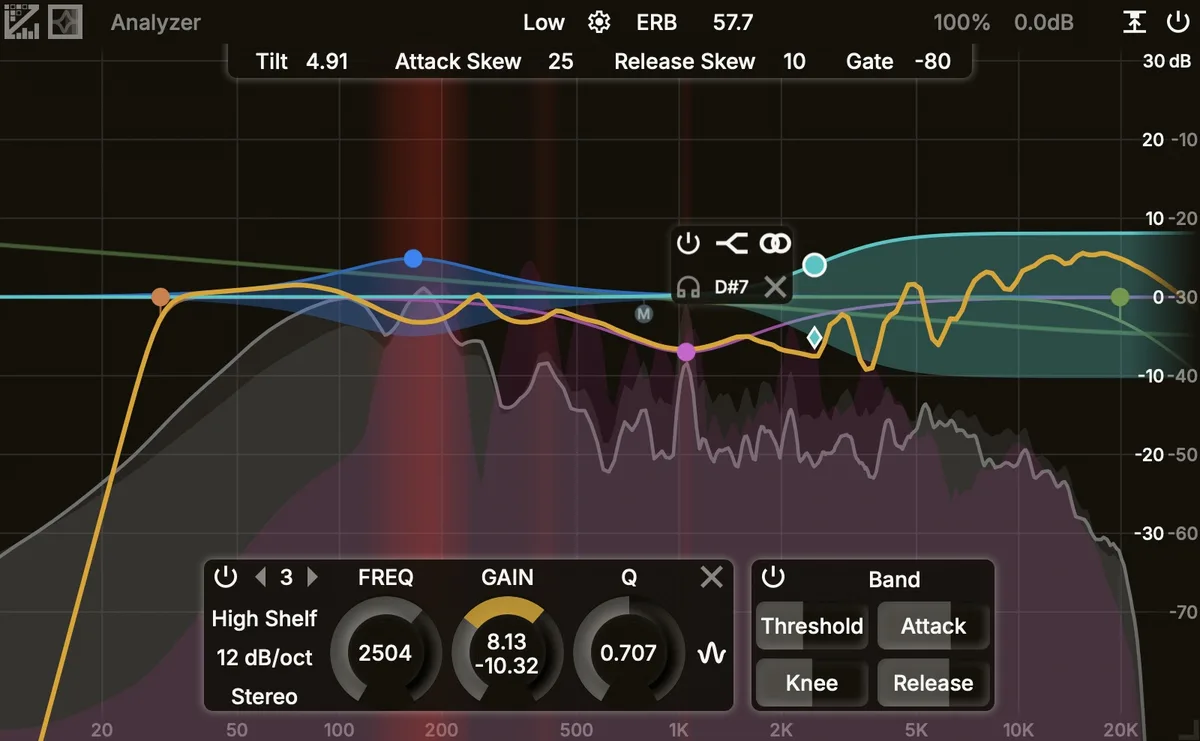
Ducking one instrument out of the way of another is the oldest job in mixing, and dynamic EQ is how most people do it now. Put a band where the collision is, feed it a sidechain, and the band dips when the other source gets loud. It works, but a band is a fixed shape, so everything under that curve moves together whether or not the sidechain energy sits there. A vocal sibilant and a hi-hat share the same 6 kHz bell, and the bell cannot tell them apart.
ZL Spectrum Equalizer works a level below that. It runs in the frequency domain, splitting the signal into FFT bins, and the manual says each bin’s gain is adjusted “based on the level of the corresponding side-chain bin”. The two spectra are compared bin by bin, and gain comes off where they overlap.
Around that sit up to 24 linear-phase bands, 9 filter types, 5 stereo modes and 7 slopes from 6 to 96 dB per octave. Three dynamic modes reference the threshold to a static level, to band sidechain loudness, or to total sidechain loudness. A spectrum gate stops the dynamics triggering when sidechain loudness falls under a set point. Collision detection marks overlap in the analyzer, and resting the mouse there for two seconds freezes the display.
FFT resolution costs latency, and the manual is plain about the bill: seven settings running from roughly 12 ms to roughly 743 ms.
The plugin is free under AGPLv3, with VST3 for Windows, macOS and Linux, AU on macOS and LV2 on Windows and Linux. AAX is due around version 0.1.0. Version 0.0.1 was published on 30 July, and the developer’s release note asks people to load it in an empty DAW session and check it works, warning that bugs are likely. Take that at face value.
Producer’s note
Long FFT windows buy frequency resolution and pay for it in time. At the high-resolution settings you are looking at hundreds of milliseconds of latency, which your DAW compensates on playback but cannot compensate for a performer monitoring live, so anything you need to track through belongs at the short end. The same trade shows up in the audio itself: a long window with linear phase spreads a correction backwards in time as pre-ringing, which is why de-essing a vocal usually survives a long window and taming a kick’s low mids usually does not. Start at the shortest setting that puts the correction where you want it, and lengthen the window only when you can hear that the resolution is too coarse.
Set the amount of reduction with both sources playing at their final levels, never with either one soloed. Masking is relational, and an amount that looks correct against a soloed sidechain is almost always too much once the rest of the arrangement is in.
Read more at ZL Audiohttps://zl-audio.github.io/plugins/zlspeceq/