Rave Generation's Master Bus Processor puts six master stages in one window
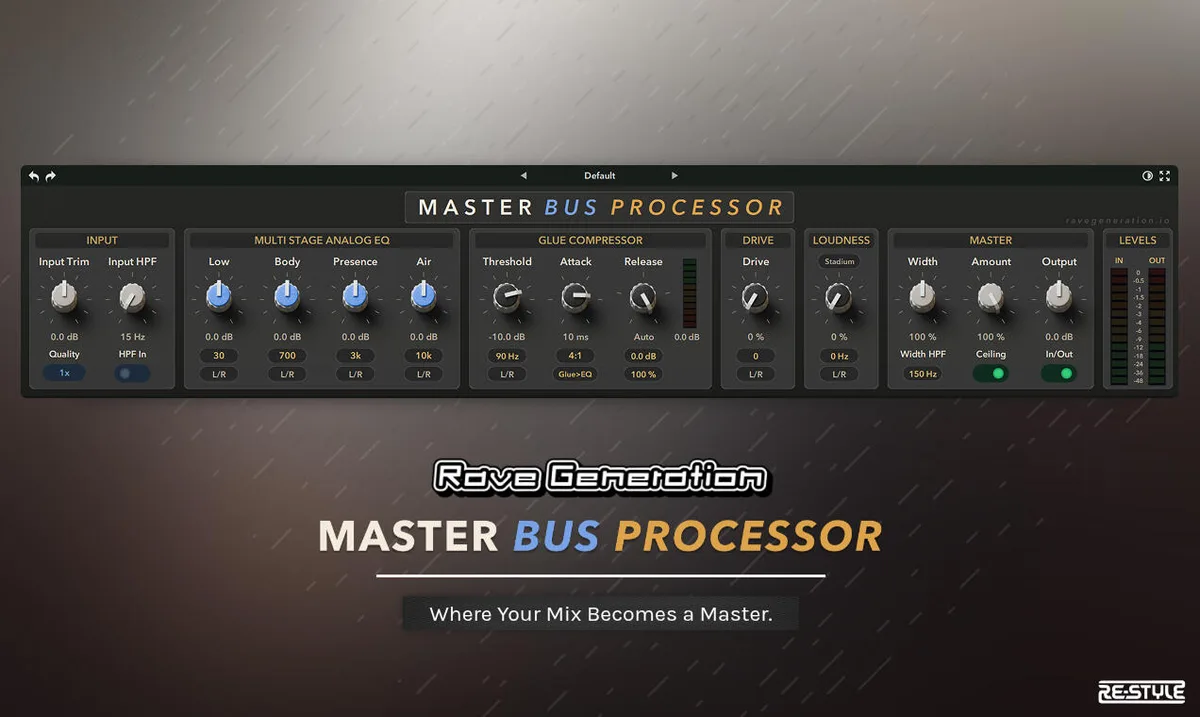
Master chains usually end up as a stack: an EQ, a bus compressor, something for loudness, something for width, a limiter to catch what is left. Master Bus Processor is the argument that those six jobs are one job, and that keeping them in one window makes the order and the interactions visible rather than buried across five plugin GUIs.
The EQ runs four bipolar bands at plus or minus 6 dB. Low sits at 20, 30, 60 or 100 Hz, Body covers 200 to 2k, Presence 3k to 16k, and Air is a high shelf running from 5k to 40k. Rave Generation describes the low band and HF presence as wave-digital filter models of the Pultec EQP-1A, and the Body band as MAAG-style. Every band can be routed to L/R, Mid or Side independently, which is the part that separates it from a channel EQ: you can put the air on the sides and leave the centre alone.
After it comes a stereo-linked VCA bus compressor in the SSL G mould, with a ratio-linked knee, program-dependent auto release, a sidechain high-pass and a parallel mix control. A switch moves the EQ before or after it, which is a real decision rather than a convenience, because an EQ ahead of a compressor changes what the detector reacts to.
The loudness stage is a parallel three-band compressor working both upward and downward, with Stadium, Tight and Soft characters and its own detection-only sidechain high-pass.
Drive comes after it, and where it sits is the design decision worth noticing. Saturation placed ahead of a compressor has the harmonics it generates squashed by whatever follows, which is why drive on a master chain so often disappears the moment the bus compressor starts working. Putting it downstream of the loudness stage means what it adds reaches the output intact. A Curve control shapes the harmonic character.
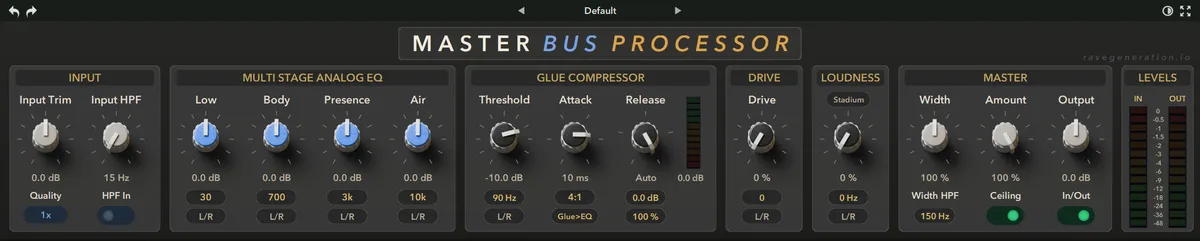
The last two stages are positioning rather than tone. A mid/side widener runs 0 to 200 percent with unity at 100, carrying an adjustable corner frequency below which the low end is left alone, and the output stage has a trim and a soft-clip ceiling sitting just under 0 dBFS.
The whole processed path runs at 1x, 2x or 4x oversampling. Metering covers gain reduction, in and out levels and peak in and out. One Amount macro scales every stage back toward neutral together.
It is version 1.0.3, VST3 on Windows and VST3 or AU on macOS, at an introductory 39.95 euro against a regular 69.95.
Producer’s note
The single control worth understanding here is the width corner, and it applies to any M/S widener rather than this one specifically.
Widening works by raising the side signal, and the side signal is the difference between left and right. Low frequencies in a mix are usually near-mono, so there is very little genuine side content down there; what does exist is often phase difference rather than anything you put there deliberately. Widen it and you amplify that difference, which costs you level the moment anything sums to mono, and it is the usual reason a widened master loses its bass on a club system or a phone.
Setting the corner somewhere between 150 and 300 Hz keeps the low end where it was and lets the widening work on the range that actually carries stereo information. If you are unsure where to put it, sum to mono and move the corner up until the bass stops changing level as you do.
Read more at Rave Generationhttps://ravegeneration.io/#MasterBusProcessor