Boz Digital Labs Automator
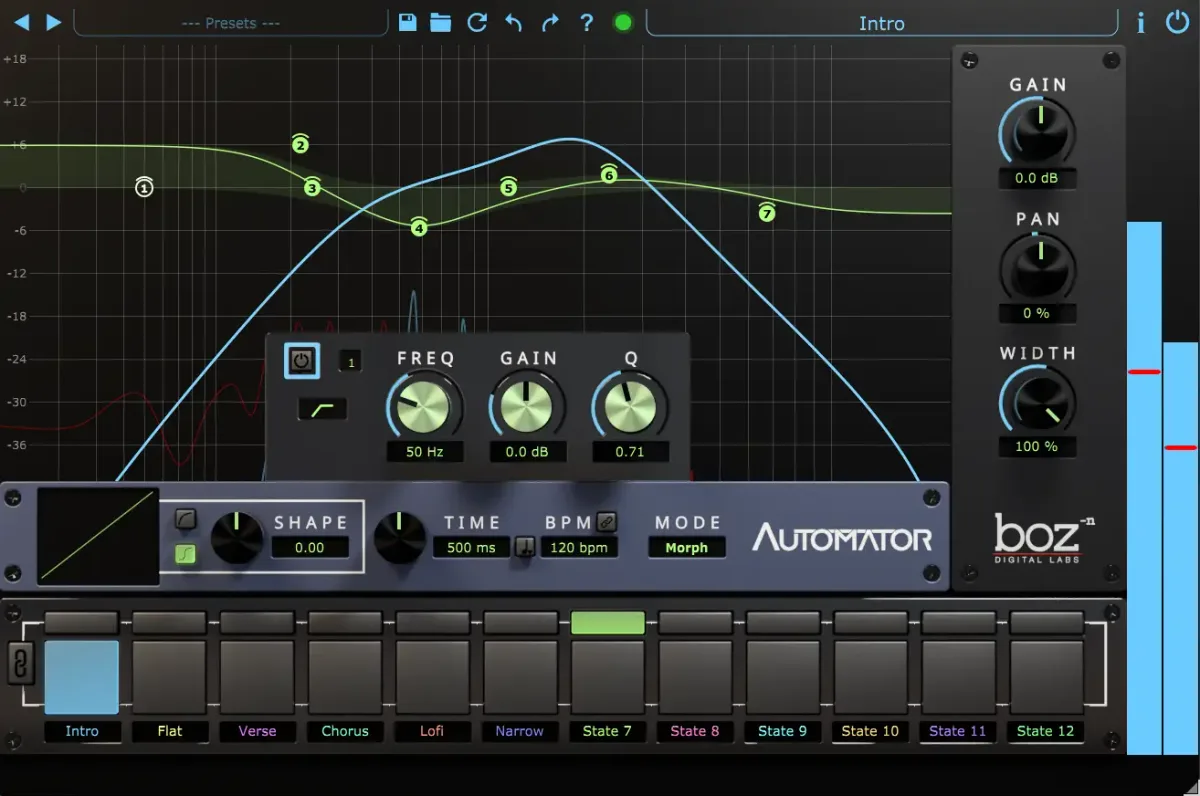
Automator is a multi-parameter effect plugin that lets you control EQ, gain, pan, and stereo width using a single automation lane instead of the usual cluster of separate lanes. You set up to 12 preset states (snapshots of your settings), then automate between them smoothly, with morphing, crossfading, or instant switching.
The main practical win here is organization. Any serious mix quickly becomes an automation maze, especially when you want EQ to shift across sections. A single lane that controls multiple parameters keeps your DAW session readable and your CPU meter cleaner. The plugin handles up to 38 parameters total, so you can nest a lot of intentional sound design into one touch.
For best results, start by thinking in sections, not moments. Define maybe four or five distinct sonic states for your track: one for the verse, a brighter one for the pre-chorus, an open one for the chorus, something tighter for a bridge. This discrete approach feels more musical than drawing endless curves. Then use the morph mode to transition between states smoothly. An instant jump works too if you want a dramatic cut or swell, but morphing usually feels less jarring when listeners aren’t expecting it.
Second, resist the urge to automate everything at once. Pick the parameter that matters most for each section. Maybe the chorus needs more width and a presence peak; leave gain and pan alone. Restraint in what you automate actually makes automation more noticeable and intentional.
Automator is available on Mac and Windows as VST, VST3, Audio Units, and AAA at $79. It suits anyone whose DAW automation list has become unmanageable, or anyone mixing in a constrained session where efficiency matters.
Read more athttps://www.bozdigitallabs.com/automator/