Bitwig Studio 6.1 turns Sampler into a slicer with five ways to cut
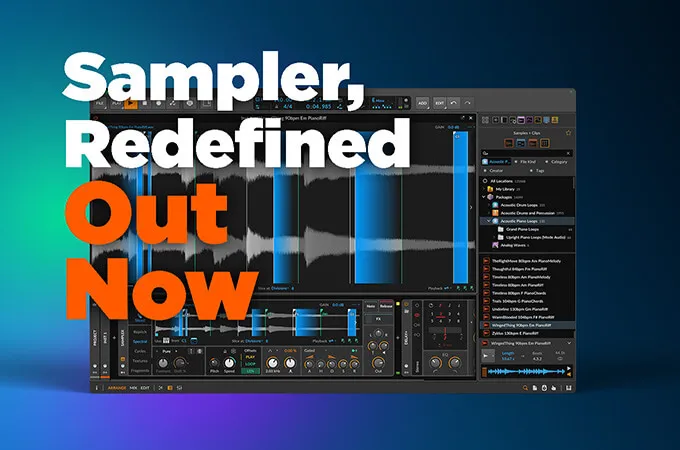
Bitwig Studio 6.1 gives Sampler a sliced mode, alongside the single-sample and multisample configurations it already had. Slicing a loop no longer means routing it into a separate device or committing to an edit before you can play it.
The interesting part is not that Sampler can slice. It is how many different questions you can ask it to answer when deciding where the cuts go.
Five detectors, and they answer different questions
Slices can follow equal divisions, beats, detected onsets, pitch changes, or markers you place yourself. Equal divisions run from one to 64 pieces.
Those are not interchangeable. Equal divisions ignore the audio completely and cut on a grid, which is right for a loop that was quantised before it was bounced and wrong for anything played by a human. Onset detection looks for transients and has a sensitivity control for dropping the weaker ones, which is the setting that decides whether a ghost note becomes its own slice or stays attached to the hit before it.
Pitch mode is the one worth knowing about, because it is not a rhythmic detector at all. It analyses the sample and places slices where the detected pitch changes, which cuts a melodic phrase into notes rather than into beats. On a bassline or a vocal that is a different set of cuts from anything a transient detector would find.
Triggering is not a fixed row of pads
The usual sampler assumption is that slice one lands on the lowest key and the rest follow upward. Bitwig lets slices follow all MIDI keys, only the white keys, only the black keys, note velocity, or a Select parameter.
White-keys-only is more useful than it sounds. It makes every wrong note a diatonic wrong note, which matters when you are playing slices in rather than drawing them.
Velocity and the Select parameter are the ones that change what the device is. Mapping slice choice to velocity means how hard you play decides which fragment sounds, not which pitch you press. Select can be automated or modulated, so slice choice becomes a destination like any other: an LFO can walk through a loop, or a step sequencer can address it. That turns a sliced sample into a sound source you modulate rather than a set of pads you trigger.
A generated MIDI clip can also be dragged into the project to play the slices in their original order, which is the fastest way back to the loop you started with once you have moved things around.
Pitch analysis that follows the file
The same release adds automatic pitch analysis, and Analyzed Root Key is the part that changes behaviour. Instead of assigning one root pitch to a whole file, it follows pitch through the sample, and Bitwig says playback pitch and playback speed are compensated according to the current position.
That matters on any source that is not one steady note. A sampled phrase that moves between two pitches has, until now, had to be treated as if it were a single note, which puts everything except that note slightly wrong.
Sampler also gains Spectral stretching and a separate Fragments granular mode, and audio clips can be bounced straight into a sliced Sampler. A sliced setup can be converted into a Drum Machine or into multisample form, which is the escape route when you decide the slices want individual processing after all.
Why keeping it in one device is the point
None of these features is unprecedented on its own. Slicing, onset detection and per-slice playback have existed in samplers for years, and in Bitwig they existed too, spread across other devices and an editing stage.
Consolidating them changes the cost of experimenting. When detection, triggering and conversion all live inside the instrument already loaded on the track, changing your mind about how a loop is cut costs one control rather than an undo and a rebuild.
Producer’s note
Start with Onsets on anything played rather than programmed, then correct by hand.
Bitwig keeps manual slices when you change slicing mode, so you can move a marker the detector put in the wrong place, then switch detectors to compare, without losing the corrections. That makes the sensitivity control safe to explore: you are not choosing a setting and living with it, you are auditioning detectors over a set of fixes that persist.
If the loop is melodic rather than rhythmic, try Pitch before Onsets. A transient detector on a legato line finds almost nothing, and it is easy to conclude the loop cannot be sliced when the wrong question was being asked.
Read more at Bitwighttps://www.bitwig.com/whats-new/